Zulip Gong integration
Get notifications about completed Gong calls in Zulip!
-
Create a bot for Gong. Make sure that you select Incoming webhook as the Bot type.
-
Decide where to send Gong notifications, and generate the integration URL.
-
From your Gong dashboard, navigate to Admin center > Settings > Ecosystem > Automation rules. Then, click + Add rule to create a new automation rule for sending call data to Zulip.
-
Configure the rule filters to specify which calls should trigger the webhook, and click Save.
-
In the Action dropdown, Fire webhook should be selected by default. Enter the webhook URL generated above, and select URL includes key for the authentication method.
-
Enter a name (e.g., "Zulip") and description for the automation rule.
-
Test the automation by clicking Test now with the preselected call data. Alternatively, you can choose to Select a different call for the test message.
-
Enable the rule by toggling the Rule Status switch.
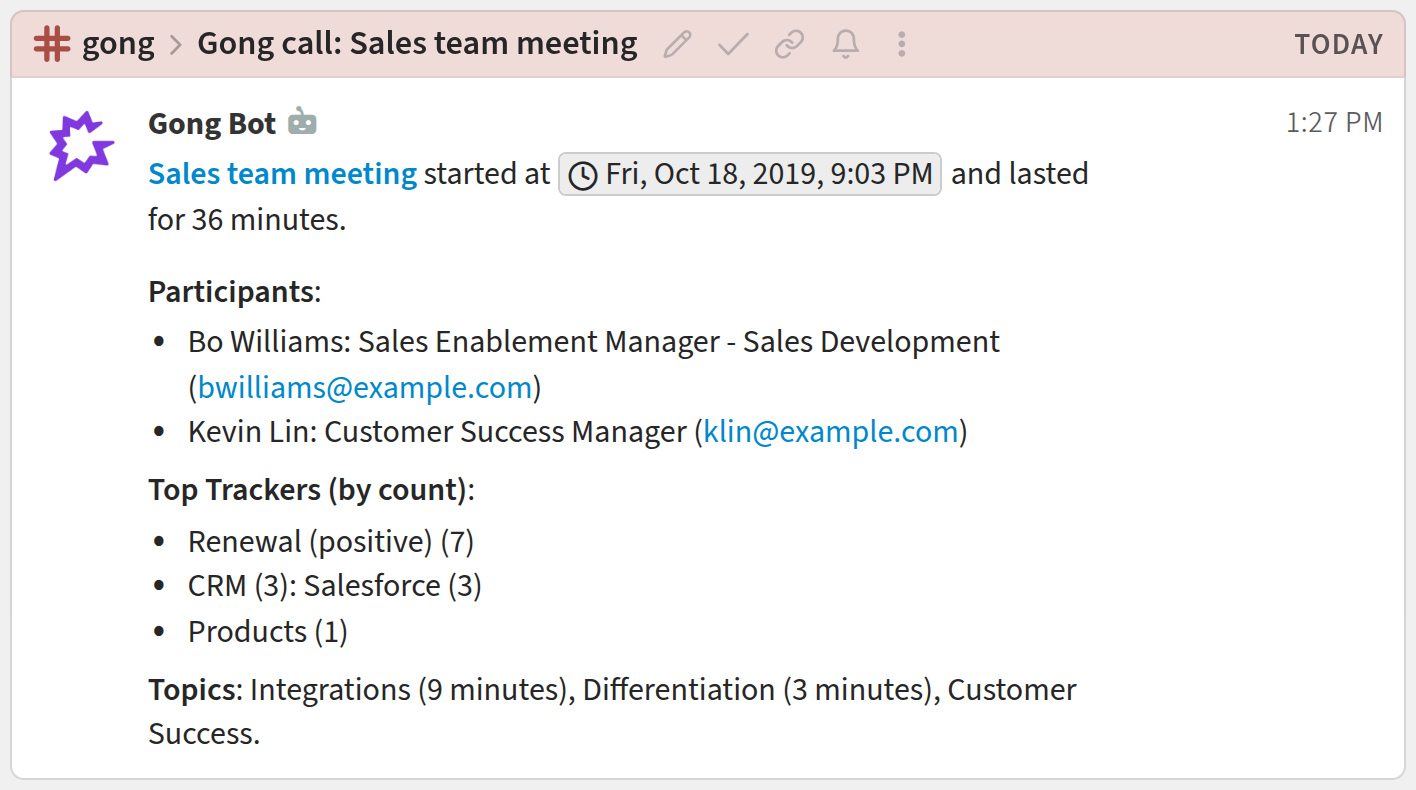
You're done! Your Gong notifications may look like this:
Related documentation
Logos are trademarks of their respective owners. None of the integrations on this page are created by, affiliated with, or supported by the companies represented by the logos.